
Window Peeper Video Examples: The 15-Second Sequence
See the Window Peeper video format from photo to vertical MP4, with examples of the building zoom, burger stare and curtain-close ending.
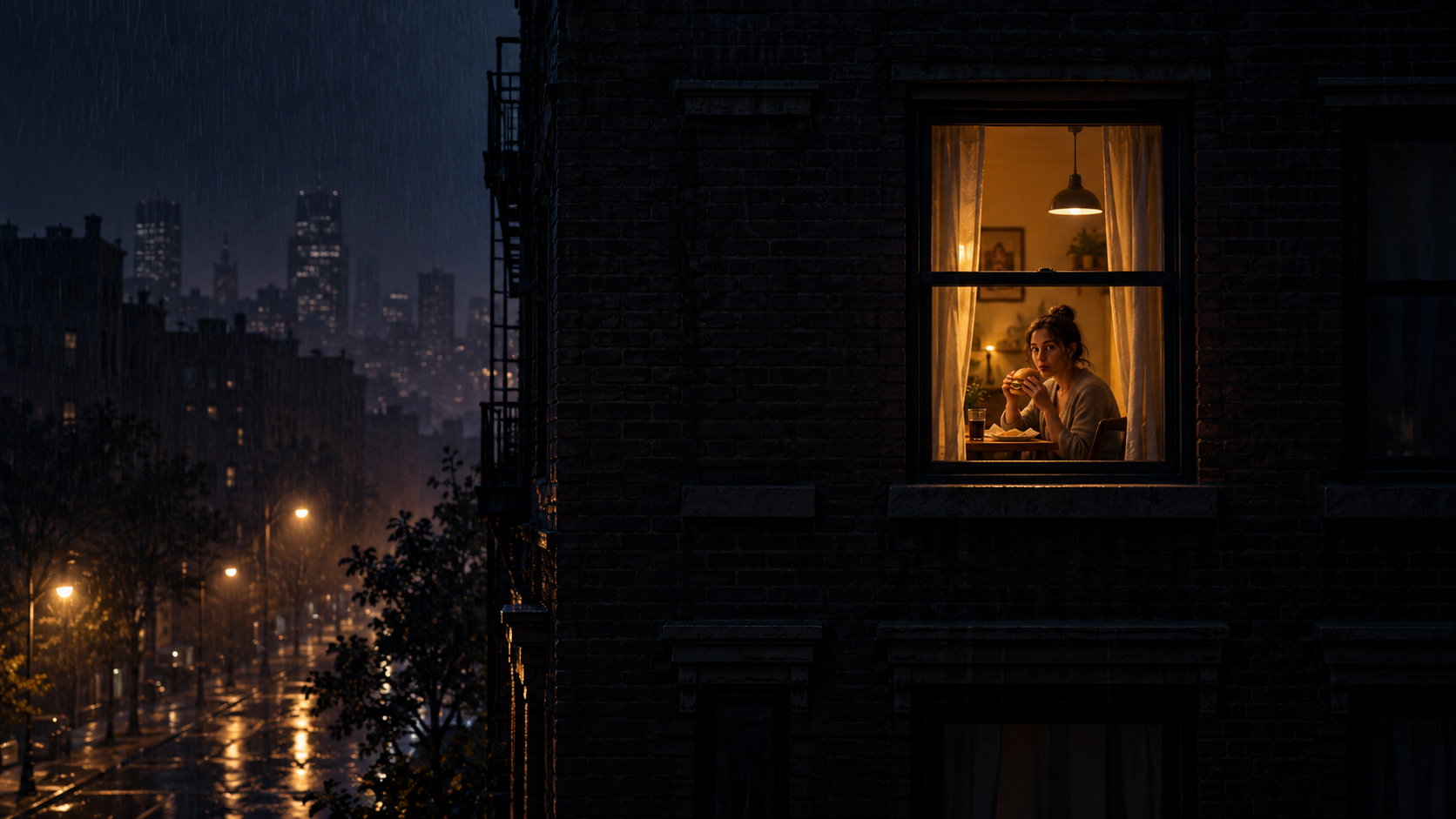
The best Window Peeper video examples all tell the same tiny story: the camera starts far outside a building, finds one glowing window, moves close enough to reveal a diner staring back, and loses the view when the curtains close.
Watch this complete 15-second Window Peeper AI example to see the rhythm generated from one photo. The sequence matters more than a particular face or caption, which is why one clear photo can become a recognizable remake.
Window Peeper example: the complete 15-second sequence
0–4 seconds: one lit window
The opening frame is mostly dark. One warm window gives the viewer a target and makes the camera movement easy to follow on a small phone screen.
4–11 seconds: the burger stare
The camera reaches the room and reveals the person inside. Eating a burger or another snack keeps the action deliberately ordinary while the direct eye contact makes it uncomfortable and funny.
11–15 seconds: curtain close
The curtains shut as soon as the watcher has been noticed. This is the punch line and the clean visual ending that makes the format loop well in a vertical feed.
Photo in, video out
A one-photo Window Peeper AI example begins with a clear portrait and ends as a 15-second, 9:16 MP4. The photo supplies the subject; the generated scene supplies the apartment exterior, the window, the camera approach, the meal, and the final curtain movement.
For a stronger example, the source photo should have:
- one obvious subject;
- a face that is sharp at phone-screen size;
- even light around the eyes;
- some visible upper body;
- enough space around the head for a natural window composition.
See the Window Peeper photo tips before choosing between several portraits.
Common Window Peeper example variations
The recurring story can support several visual variations without losing its identity:
- Classic burger window: the familiar late-night bite and direct stare.
- Different snack: pizza, noodles, or a drink can keep the ordinary-meets-cinematic contrast.
- Different room mood: a warmer dining room or a darker apartment changes the tone while the camera route stays recognizable.
- Caption remix: short POV captions can set up the joke, provided they do not cover the final face.
Searchers sometimes call these clips the window burger meme, AI apartment zoom, Window Watch video, or Window Peeper effect. They describe the same core visual grammar: approach, stare, curtain.
Original video, template preview, or AI example?
These labels point to different things:
- A trend reference is a public post that shows the format in motion.
- A CapCut template preview shows the fixed edit and media slots provided by that listing.
- A Window Peeper AI example is a newly generated result based on a source photo.
If you want the editable route, use the Window Peeper template guide. If you want a new one-photo result, open the Window Peeper AI generator.
What to check in your result
Watch the video once from start to finish and look for four things: a readable first window, a smooth move toward the room, a clear final stare, and a curtain close that lands before the clip ends. Those four details matter more than extra effects.
The finished 9:16 MP4 is shaped for TikTok, Instagram Reels, and YouTube Shorts. For the complete creation process, follow how to make a Window Peeper video from one photo.
What should a Window Peeper video example include?
A recognizable example begins outside a dark building, moves toward one lit window, reveals the subject staring back and ends with the curtains closing. This site outputs that story as a 15-second 9:16 MP4.
Keep exploring
Related Window Peeper guides
Window Peeper Trend: Meaning, Meme and Effect
Learn what the Window Peeper trend means, how the burger-window meme works, and how creators remake the AI window-zoom effect.
Read articleHow-toHow to Make a Window Peeper Video From One Photo
A simple guide to making the Window Peeper trend with one photo, including photo choice, framing, and posting tips.
Read articlePhoto guideBest Photo Tips for a Window Peeper AI Video
Choose a sharper portrait, better crop, and more readable expression for a one-photo Window Peeper AI video.
Read articlePut the guide into practice
Make your Window Peeper video.
Upload one photo and create the complete 15-second window-zoom moment.